Movement & Patrol
Control how your citizens move — from standing completely still, to wandering randomly, to following a precise patrol route through waypoints.
Where to Find Movement Settings
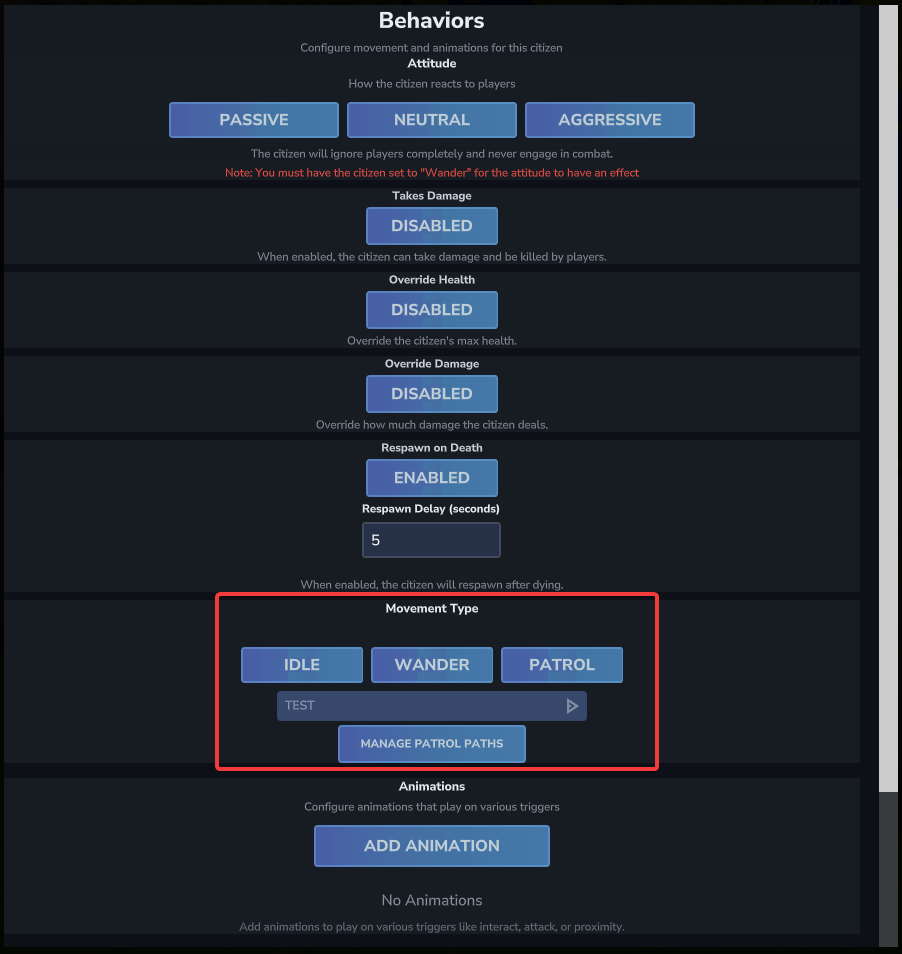
Movement is configured in Edit Citizen → Behaviors → Movement Type. The movement type buttons are in the Behaviors screen.
Wander Required for Combat
The Attitude setting (Passive / Neutral / Aggressive) only takes effect when the citizen is set to Wander. An Idle or Patrol citizen will not engage in combat.
Movement Types
| Type | Description |
|---|---|
| Idle | The citizen stays in place and does not move. Default for new citizens. |
| Wander | The citizen walks around randomly within a configurable radius around their spawn point. Also required for Attitude (combat) to work. |
| Patrol | The citizen follows a named patrol path, moving between defined waypoints in order. |
Wander Settings
When Wander is selected, two extra fields appear in the Behaviors screen:
| Field | Description | Default |
|---|---|---|
Walk Speed |
How fast the citizen moves while wandering | 10 |
Wander Radius |
Maximum distance in blocks the citizen wanders from its spawn point | 5 |
Patrol Paths
Patrol paths let citizens follow a precise, fixed route through your world. A patrol path is a named list of waypoints; the citizen walks from one to the next in order, with optional pauses at each point.
Setting Up Patrol
- In the Behaviors screen, select Patrol as the Movement Type.
- If patrol paths exist, a dropdown appears to select which path to assign to this citizen. If no paths exist yet, a Create a Patrol Path button appears.
- Click Manage Patrol Paths (or Create a Patrol Path) to open the Patrol Paths manager.
The Patrol Paths Manager
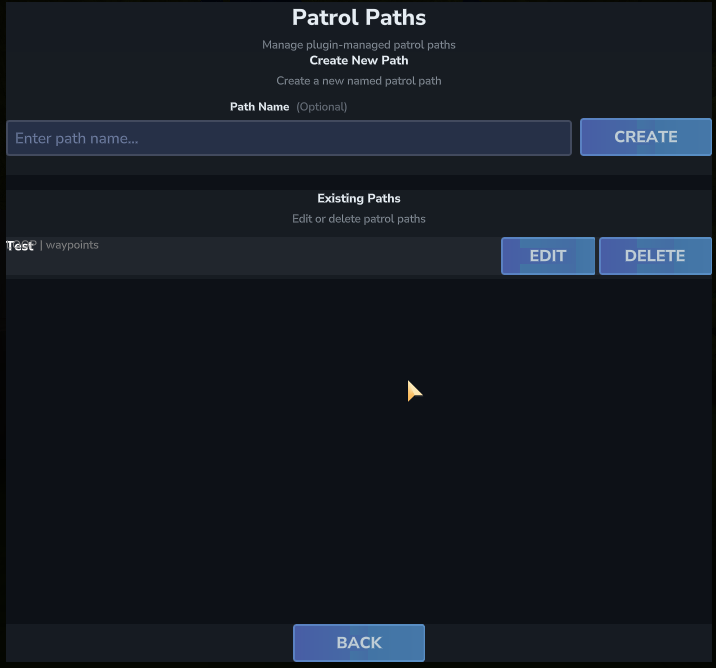
The Patrol Paths manager shows all existing patrol paths. From here you can:
- See all named paths and how many waypoints each one has.
- Click Edit to open a path and modify its waypoints and loop mode.
- Click Rename to give an existing path a new name. All citizens assigned to this path are updated automatically.
- Click Delete to permanently remove a path.
- Click Create New Path to create a brand new named path.
Editing a Patrol Path
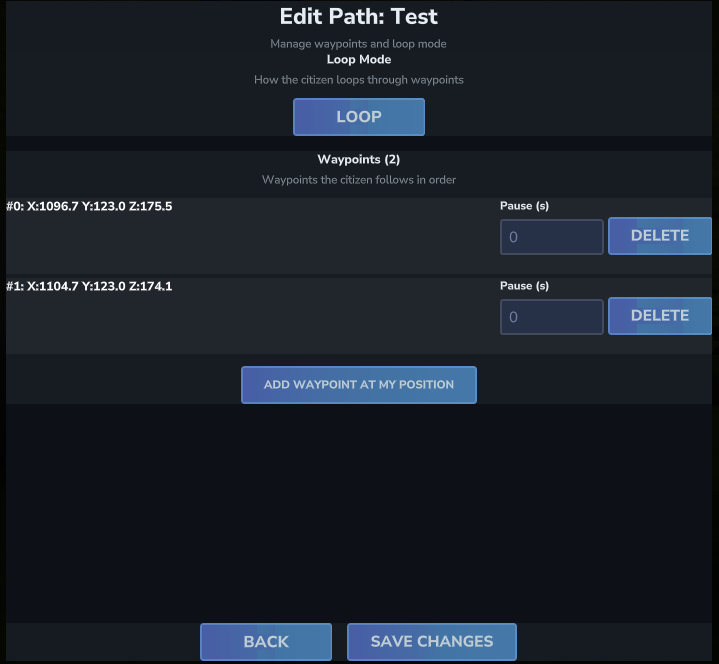
Opening a path takes you to the path editor, where you can configure its Loop Mode and manage its Waypoints.
Loop Mode
The Loop Mode button toggles between two behaviors:
| Mode | Behavior |
|---|---|
| Loop | After reaching the last waypoint, the citizen jumps back to the first and continues walking. |
| Ping Pong | After reaching the last waypoint, the citizen reverses direction and walks back through the waypoints in reverse order. |
Waypoints
Waypoints are the stops along the patrol route. Each waypoint shows its coordinates (X, Y, Z) and has a Pause (s) field — how many seconds the citizen stops at that point before moving on. Set to 0 for no pause.
To add a waypoint: walk to the location in-game where you want the waypoint, then click Add Waypoint at my position. The waypoint is created at your current coordinates. Add as many as needed in sequence.
Click Save Changes to apply all waypoint and loop mode changes.
Example: 3-Point Town Route
Path Name: TownRoute
Loop Mode: Loop

Waypoint #0: X: 100, Y: 64, Z: 200  — Pause: 2.0s  (market stall)
Waypoint #1: X: 115, Y: 64, Z: 200  — Pause: 0.0s
Waypoint #2: X: 115, Y: 64, Z: 220 — Pause: 3.0s (town square)Patrol Stick Permission
Using the Patrol Stick to add waypoints in-game requires the hycitizens.admin permission.